
On This Page
The handbook you read in your browser now travels into the game with you. The WoW Handbook addon is live on CurseForge, free, and built for one job: answering “where do I go, what do I learn, and what do I do next” while you level through WoW Forever.
Instead of alt-tabbing between guides, you get the same dungeon quests, boss loot, and spell lists inside the game window. Here is what version 0.1.0 does, how it fits the way Forever plays, and how to get it running in a minute.
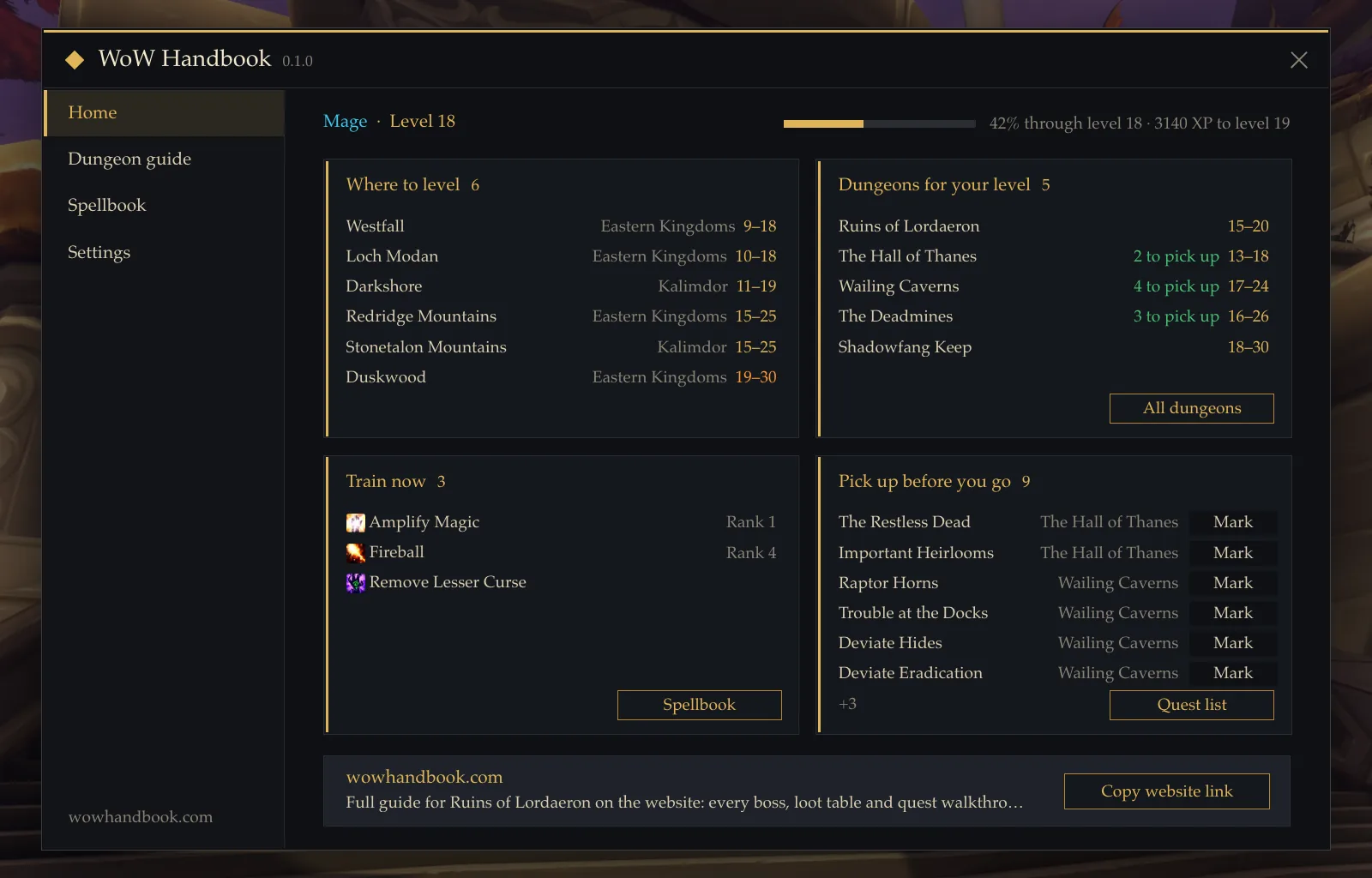
Dungeon Guide: The Right Dungeon for Your Level
Open the handbook with /wh and the dungeon guide recommends dungeons that match your character’s level. Each one lists the quests you should pick up before you go in, and the quest chains behind them, so you know what to collect before you gather a group.
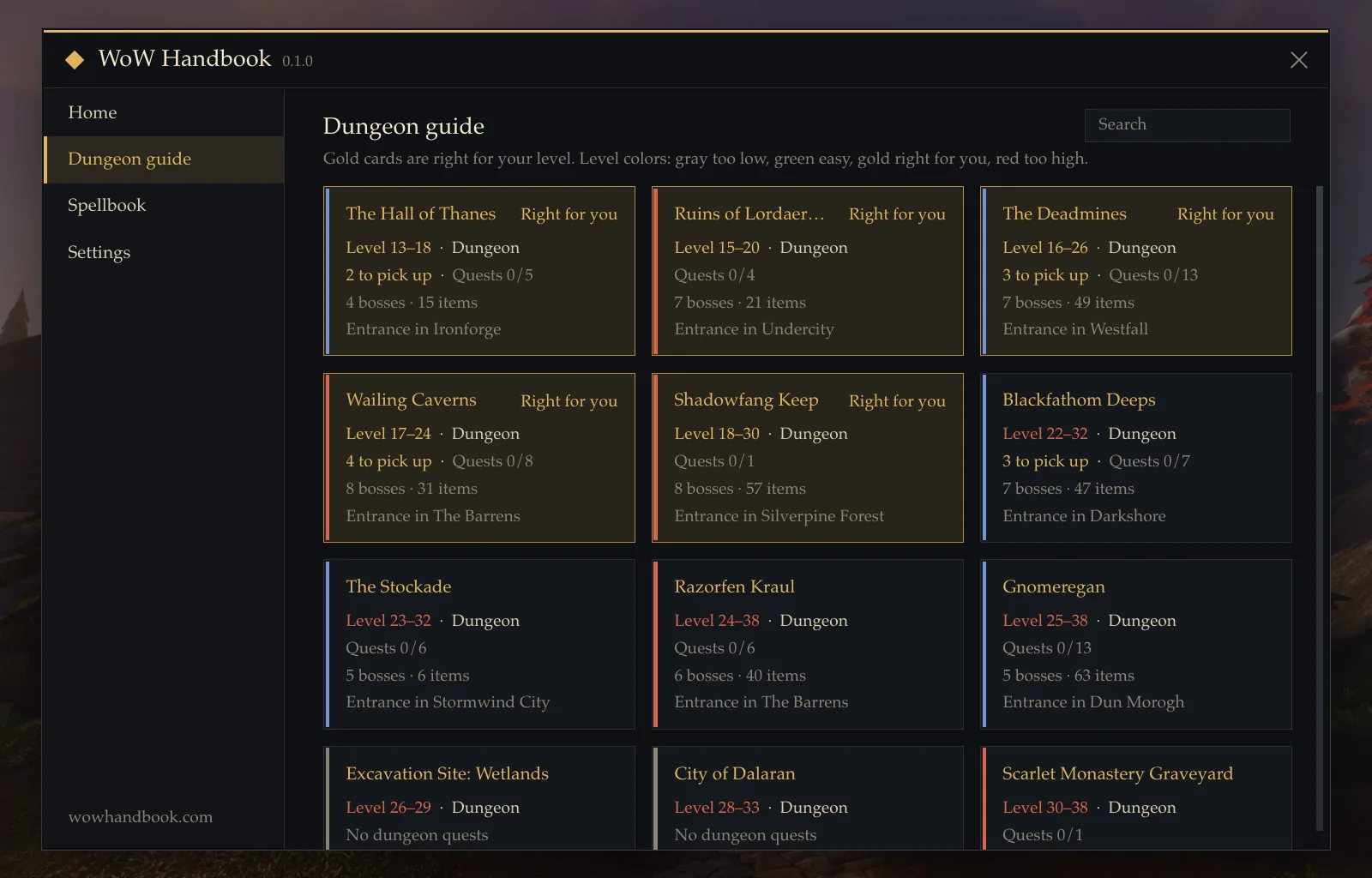
It also puts the work on your map. Quest giver locations and dungeon entrances appear as map pins, and boss loot can be filtered by your class and armor type, which turns “is anything in here for me?” into a two-second check.
Spells by Level: See What Every Trainer Visit Unlocks
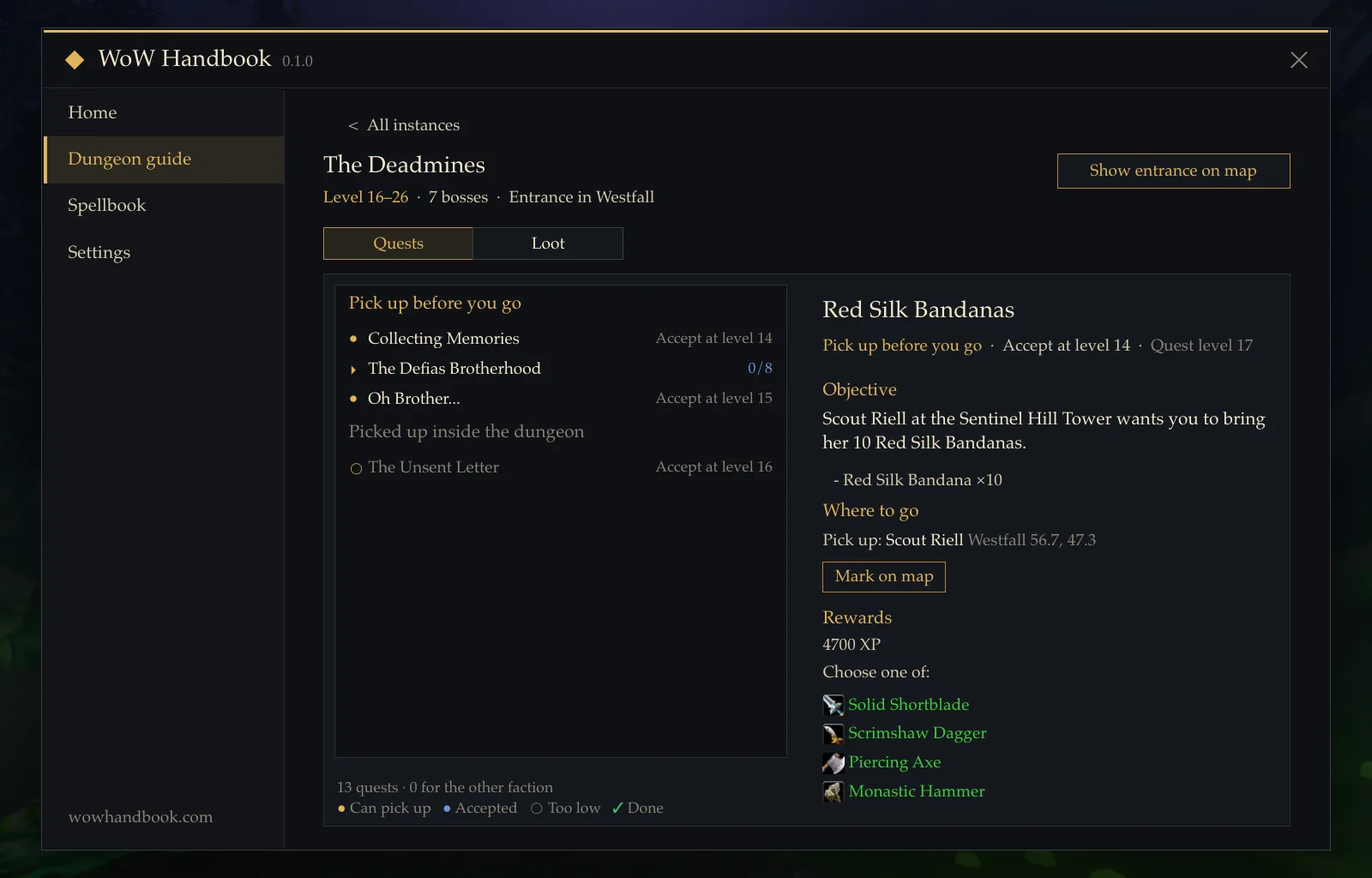
The addon shows exactly what your class learns at each level, so you can plan a trainer trip instead of stumbling into one. When new ranks become available at your class trainer, it alerts you at the right moment. Warlocks get a bonus: demon abilities and their grimoires are laid out in clear categories.
The same data powers the Spellbook on this site, which means the list in the game and the list in your browser always agree.
Action Bar Upgrades: Train Once, Play On
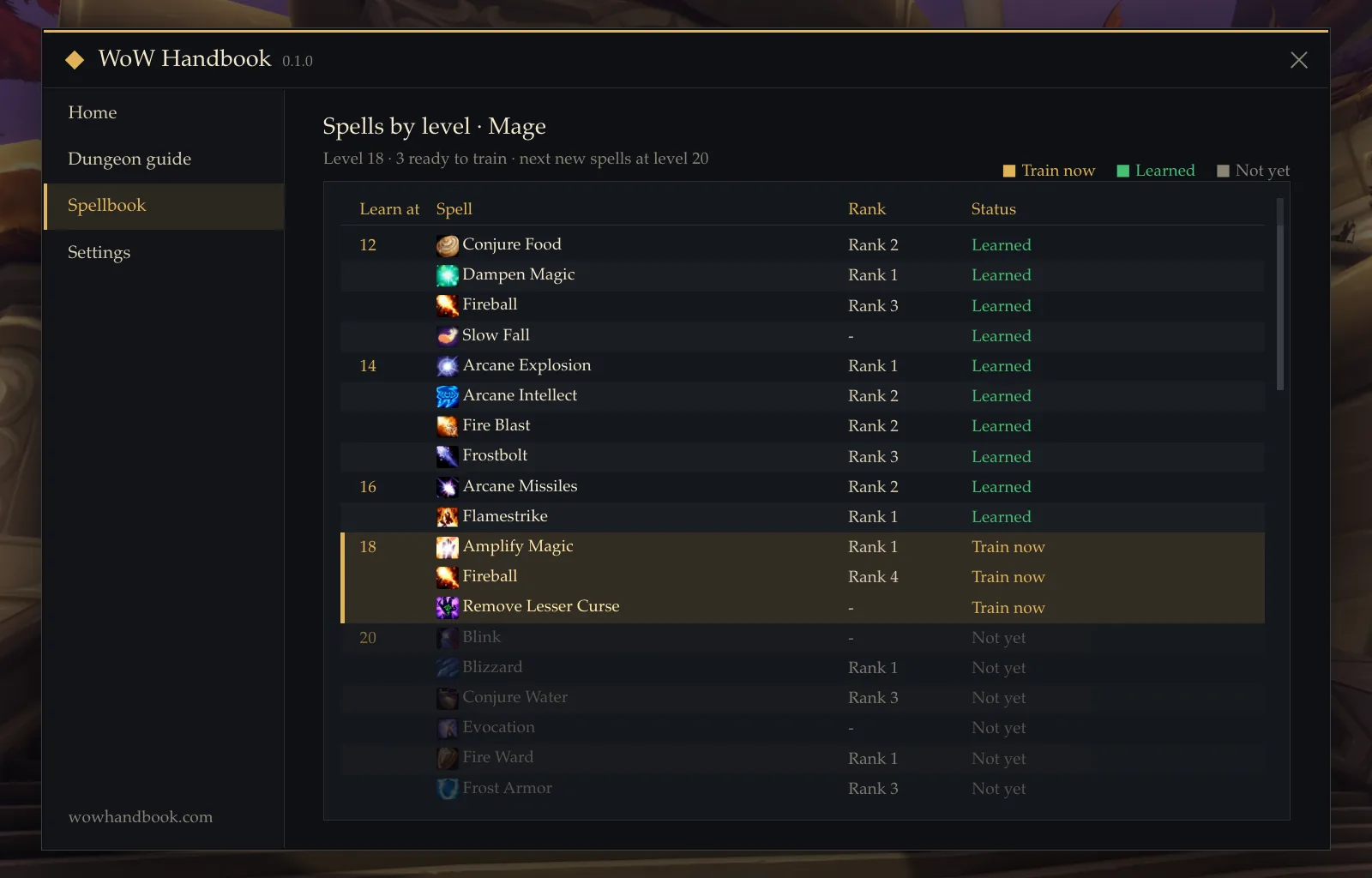
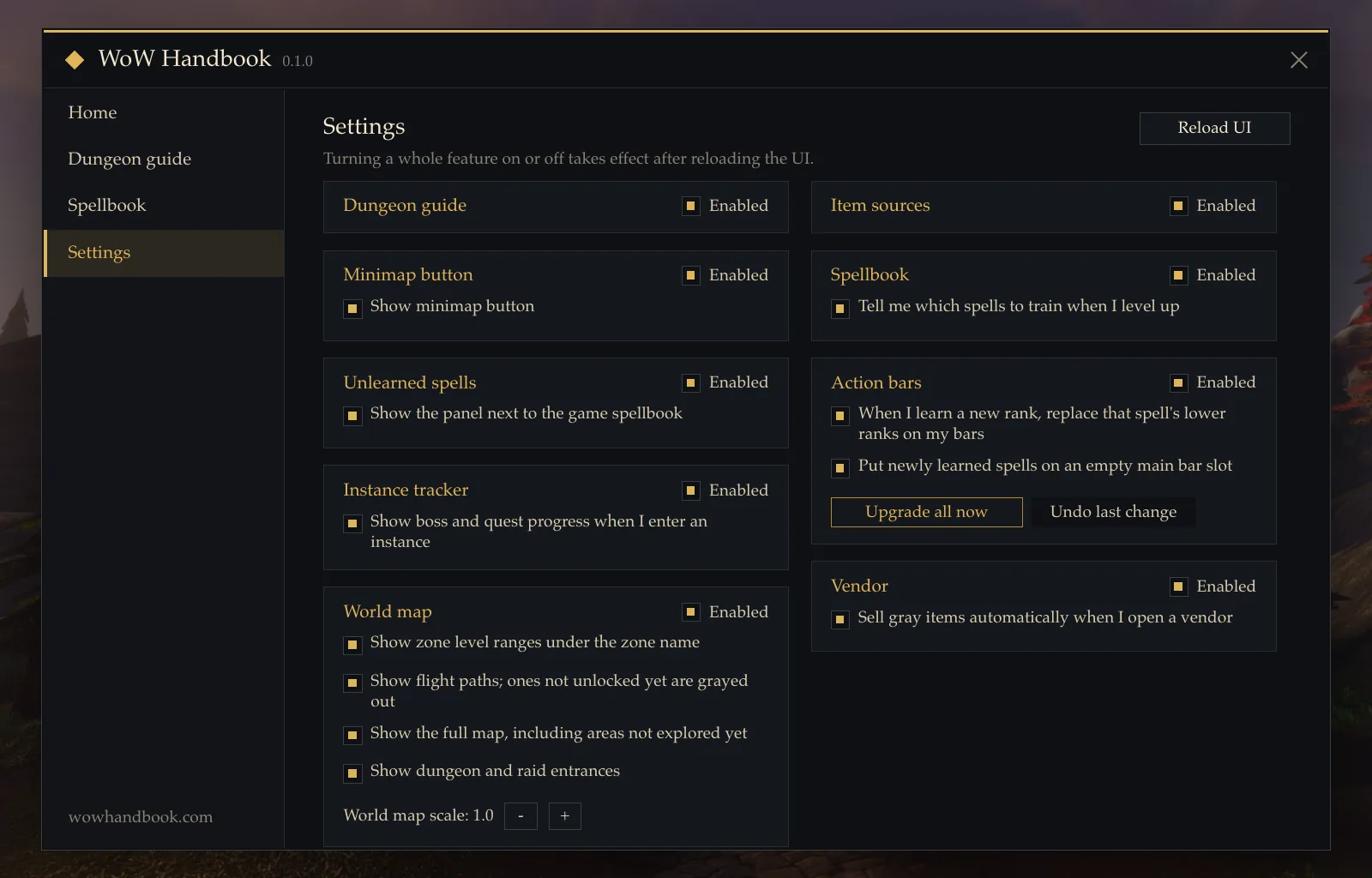
Anyone who has levelled a caster knows the chore: train a new rank, then hunt for the old icon on three different bars. The addon replaces lower ranks on your action bars automatically when you train higher ones, and places brand-new active spells into empty slots. You visit the trainer, and your bars are already up to date.
World Map: Levels, Flight Paths, and Entrances
On the world map, each zone shows its recommended level range, so choosing where to level next takes a glance. Flight points appear as native map pins, coloured when unlocked and greyed out when locked, alongside dungeon entrances and spirit healer markers. The addon also adds full map display and map scaling, for when the default view feels too small.
Small Comforts, All Optional
The addon automatically sells grey junk items when you speak to a vendor. Every feature can be switched on or off individually in its settings, so you keep the parts you like and leave the rest alone.
From the Game to the Guide
Some questions deserve a full page. The addon can copy links to the matching guides, talent builds, and tools on wowhandbook.com in one click, so a dungeon in the handbook leads straight to its full illustrated walkthrough on the site.
Before You Install
WoW Handbook 0.1.0 is a release build for the Forever client, version 1.60.1, and it is free. Get it from the CurseForge project page and open it in game with /wh or /wowhandbook. The interface images in this article are previews drawn from the addon’s own layout and data for a level 18 Mage, not in-game screenshots.
What to Do Next
- Install the addon from the CurseForge page, then type
/whon your character to open it. - Check your next dungeon in the in-game guide, then read its full walkthrough in our dungeon guides before you queue.
- Plan your trainer visits with the level-by-level spell lists, and compare them with the Spellbook for your class.
- Choose your next zone from the map level ranges, or follow the Leveling Guide for a full route.
- Join the beta if you have not already: the Beta Guide explains access and dates.