

Some players want Azeroth exactly as they remember it, while others want a modern take. WoW Forever lets you choose.
Transmog is opt-in, visual presets and HD or SD models are yours to pick, and official gamepad support welcomes players who prefer a controller.
Opt-In TransmogNew
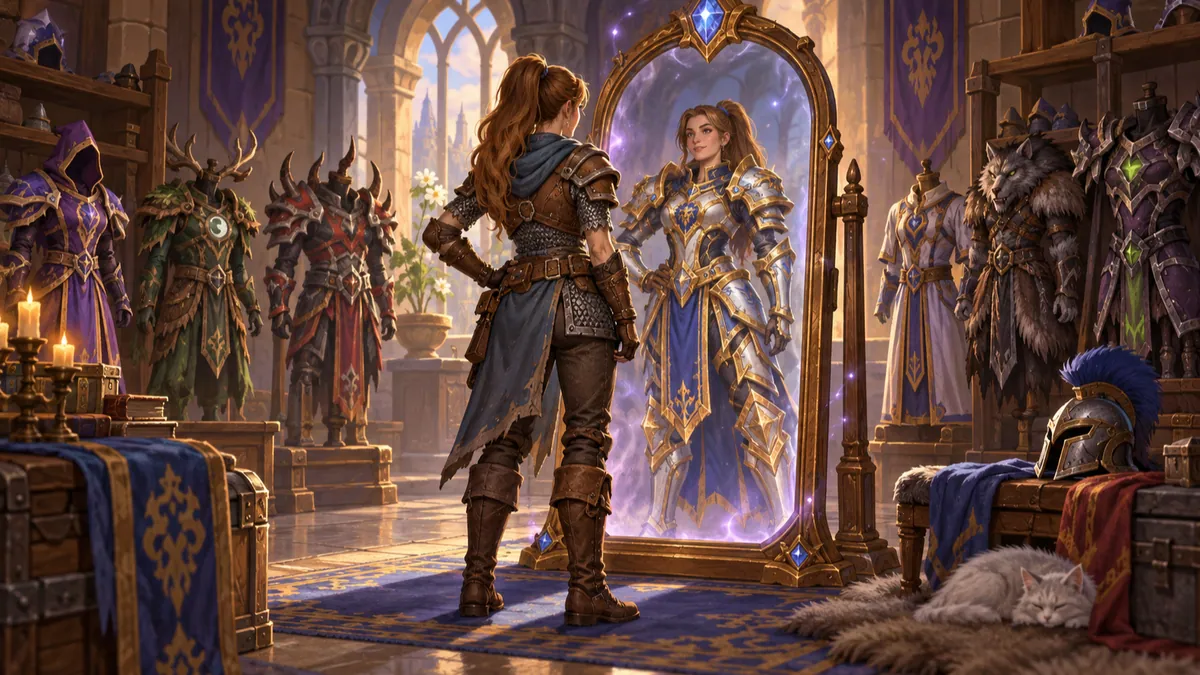
Choosing Classic Mode when you first launch the game turns Transmog off, and a transmogrifier in certain cities lets you configure outfits or disable the system at any time. With it off, you see other players in their equipped gear, and you still collect appearances in case you switch it on later.
When an Uncommon or Rare bind-on-pickup item drops in a dungeon, every eligible looter receives its appearance, so nobody needs to roll against an upgrade just for the look. Epic raid drops grant their appearance only to the player who receives the item. Poor and Common items grant their look as soon as you loot them.
Transmog follows item-type rules, so plate transmogs to plate and cloth to cloth. Low-level characters cannot use high-level appearances until level 60. Even with Transmog off, you can hide your helm or cloak as before.
| Classic Baseline | WoW Forever Overhaul |
|---|---|
| What you wear is what you see. | Optional Transmog with Classic-minded rules: same armor type, level 60 for high-level looks, and fair dungeon loot. |
Transmog Rules
- Classic Mode at first login turns Transmog off.
- Dungeon Uncommon and Rare drops: appearance for every eligible looter.
- Epic raid drops: appearance for the player who receives the item.
- Same armor type only; high-level looks unlock at level 60.
Visual Presets and HD or SD ModelsNew

Forever offers modern and Classic visual presets and a choice of High-Definition or Standard-Definition character models. HD models can use restored Classic animations.
Rendering updates add small environmental touches, such as rivers that flow through Elwynn Forest, mist over the waters of Darkshore, and moonlight breaking through the trees in Ashenvale, while keeping the timeless art style of the original world.
| Classic Baseline | WoW Forever Overhaul |
|---|---|
| One visual style. | Modern and Classic visual presets, HD or SD character models, and restored Classic animations for HD models. |
Official Gamepad SupportNew

Forever supports controllers officially, so you can play with a gamepad as well as with keyboard and mouse.
It is one of several options designed to welcome more players into Azeroth with the setup that suits them, complete with native button prompts, radial action bars, and soft-target interaction.
| Classic Baseline | WoW Forever Overhaul |
|---|---|
| Keyboard and mouse. | Official gamepad support. |
How to Enable & Configure a Controller
- Connect your Xbox, DualSense, or Steam Deck controller and run /console GamePadEnable 1 in chat (or enable Gamepad under Options > Controls).
- Use the left stick for movement, right stick for camera look, and LT / RT modifiers to expand your face buttons into 24+ action bar slots.
- Enable Interact Key and Soft Target Enemy in Options > Combat so you can loot corpses, talk to quest givers, and acquire targets without clicking.
- Adjust camera look sensitivity with /console GamePadCameraYawSpeed and /console GamePadCameraPitchSpeed.
Addons Stay, With Limits on How Much They DecideChanged
Blizzard confirmed that addons are supported in Forever, and that the game keeps parity with mainline WoW: the same interface rules apply on both sides, so a change to one carries across.
The line the team draws is about control rather than customization. Addons should not hold too much power over a player’s experience, which keeps the reading of a fight and the decision of what to press with you rather than with a helper that solves it first.
| Classic Baseline | WoW Forever Overhaul |
|---|---|
| Addons read combat data freely and can drive much of your decision-making. | Addons are supported and kept in step with modern WoW, with limits on how much they decide for you. |
A Damage Meter Built Into the GameNew
Blizzard confirmed that Forever ships with its own built-in damage meter, so you can read your output without installing anything first.
The Cooldown Manager also reached the beta as an opt-in option under Gameplay Enhancement settings, with the October 1 build adding racial abilities and Rogue support.
| Classic Baseline | WoW Forever Overhaul |
|---|---|
| Damage meters come from addons. | A damage meter is built into the game. |
A Character Panel That Explains ItselfChanged
Hover any stat on the character panel and Forever explains what it does, what raises it, and how it helps you. The answers cover the questions players used to look up elsewhere.
The Defense tooltip is the clearest example for tanks: creature critical strikes deal 200% damage, creatures three or more levels above you can land Crushing Blows for 150% damage, and 440 Defense stops raid bosses from critically hitting you.
| Classic Baseline | WoW Forever Overhaul |
|---|---|
| Character panel stats carry short, vague descriptions. | Hovering a stat explains what it does, including goals such as the Defense that stops raid boss critical strikes. |
A Barbershop for Second ThoughtsNew
The barbershop was up and running in the playable BlizzCon demo build, in Dalaran, letting players change body type, hair style, and facial features without rerolling the character.
Since the October 1 beta build, Darnassus and Thunder Bluff have barbershops too, every barbershop has a barber on duty, and city guards will give you directions.
| Classic Baseline | WoW Forever Overhaul |
|---|---|
| Your appearance is set at character creation and stays there. | A barbershop lets you restyle your character after creation. |
Setting Up Your Game
- Decide at first login: choosing Classic Mode turns Transmog off, and you can change it later at a transmogrifier.
- Keep collecting appearances even with Transmog off, so your wardrobe is ready if you change your mind.
- Check the system requirements before launch: Forever needs an SSD with 128 GB of free space.
Frequently Asked Questions
Can I see other players without their Transmog?
Yes. With Transmog disabled, you see everyone in the gear they have equipped.
Can a low-level character use high-level appearances?
Not until level 60, when level restrictions are removed for valid appearances in your collection.
Where to Go Next
More WoW Forever Changes
- Class and Talent Changes7 confirmed changes
- Race and Racial Changes3 confirmed changes
- World and Leveling Changes8 confirmed changes
- Dungeon, Raid, and PvP Changes7 confirmed changes
- Profession and Camping Changes3 confirmed changes
- Realm, Name, and Legacy Changes6 confirmed changes
- Browse the complete searchable change database →